Drop your file
Upload a PDF or SVG logo. StitchKit detects shapes and groups them by colour automatically.
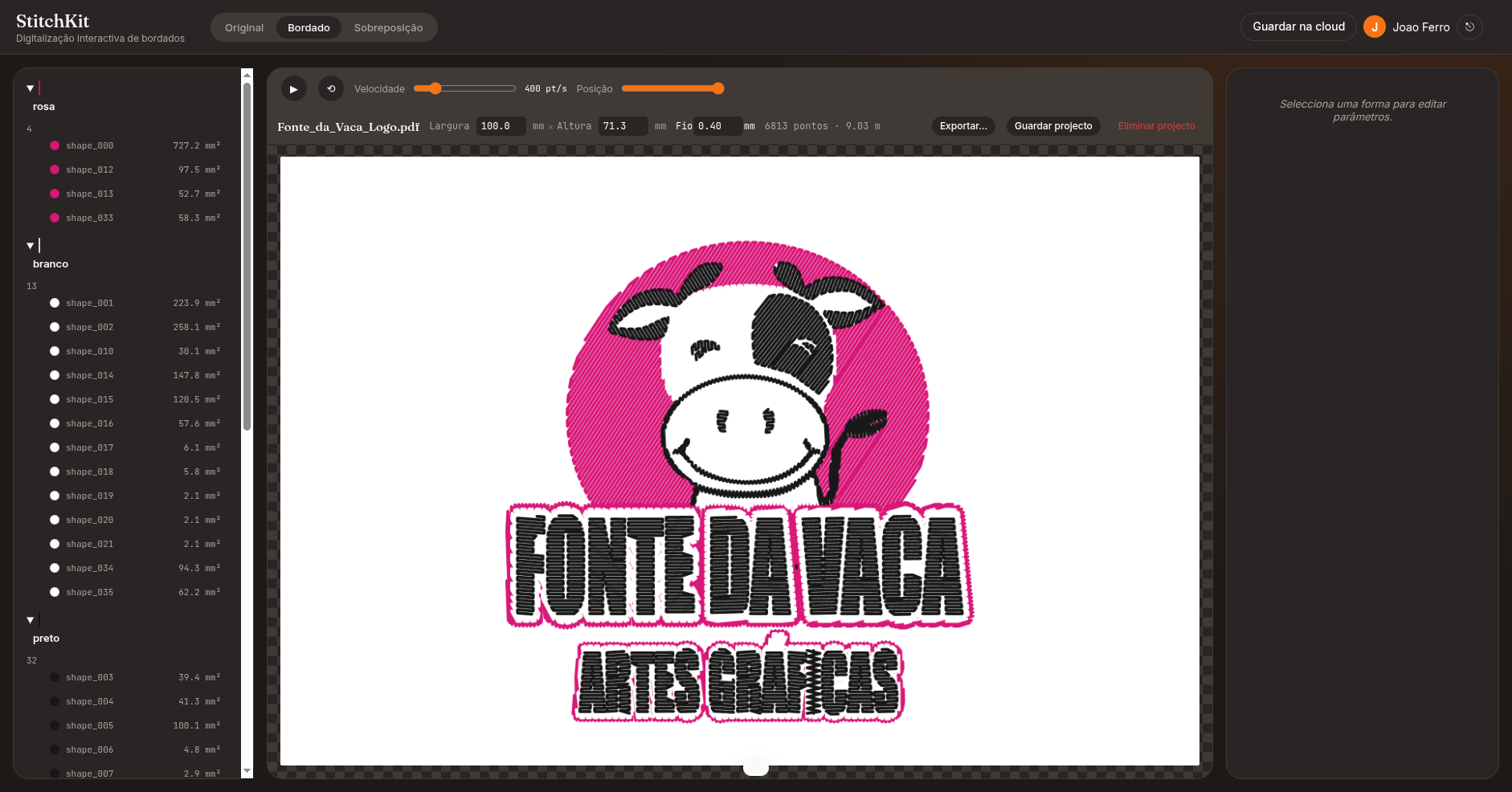
Turn any PDF or SVG into a machine file your embroidery hoop actually respects. Control every shape, every stitch, every colour — without learning desktop software from 2008.
Works with your machine
How it works
No tracing, no guessing. StitchKit reads your vector paths directly — you stay in control of every shape.
Upload a PDF or SVG logo. StitchKit detects shapes and groups them by colour automatically.
Pick a stitch type (fill, satin, running, stippling, cross-hatch), adjust angle, density, underlay.
Download .exp, .pes, or .dst. Drop the file on your machine's USB. Start embroidering.
Pricing
Start free. Upgrade when you're ready to stitch on a real machine.
FAQ
StitchKit exports to .exp (Melco), .pes (Brother), and .dst (Tajima). The Free plan exports a single format; Hobbyist adds .pes; Pro includes .dst.
Any machine that reads .exp, .pes, or .dst — including Brother, Janome, Bernina, Husqvarna, Babylock, Melco, and Tajima.
No. StitchKit runs entirely in the browser. Upload a PDF or SVG, tune stitch parameters, download the machine file.
Yes. The Free plan includes 3 exports per month, one output format, up to 20 shapes, and basic stitch types — no credit card required.
No. StitchKit is fully deterministic — the same PDF and the same parameters always produce the same machine file. It warns about problematic settings but never auto-corrects them.
Start free. Upgrade when you're ready to stitch on a real machine.
Start free